Create your seller account
Sign up with your mobile number, add your business and accept the seller terms. Then follow the first steps in the seller panel.
5 steps · checked against the seller panel on 17 Nov 2026
Not switched on yet
- WhatsApp, email and SMS alerts are not live yet. Everything shows in the app under Notifications, so open the app once a day.
The pictures are the real seller screens, filled in with sample data: the business, buyers, prices and messages in them are made up.
Step 1 of 5
Enter your mobile number
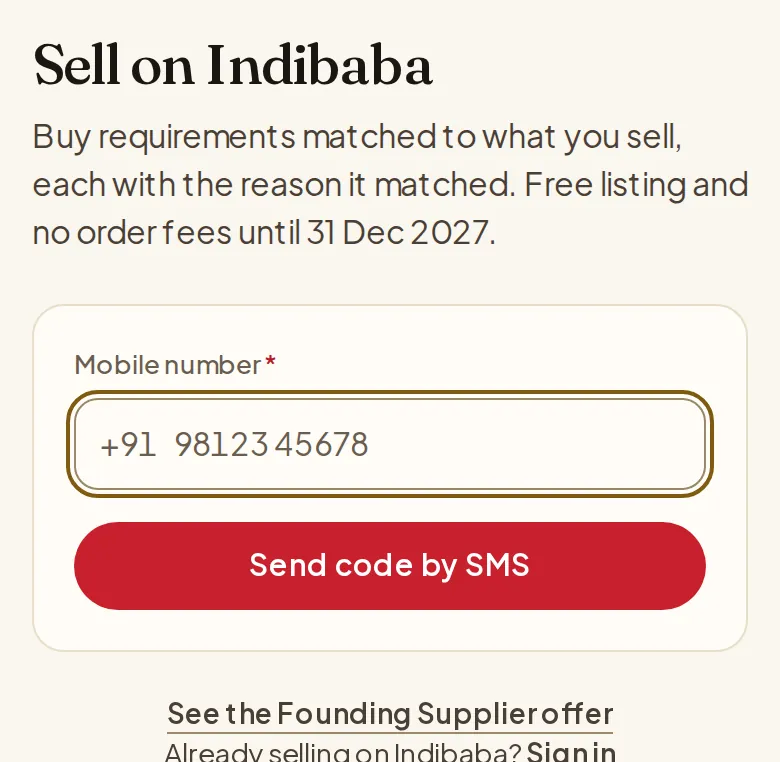
Open Create a seller account. Enter your 10-digit mobile number and tap Send code by SMS.
Example screen with sample data Step 2 of 5
Enter the code, your name and a password
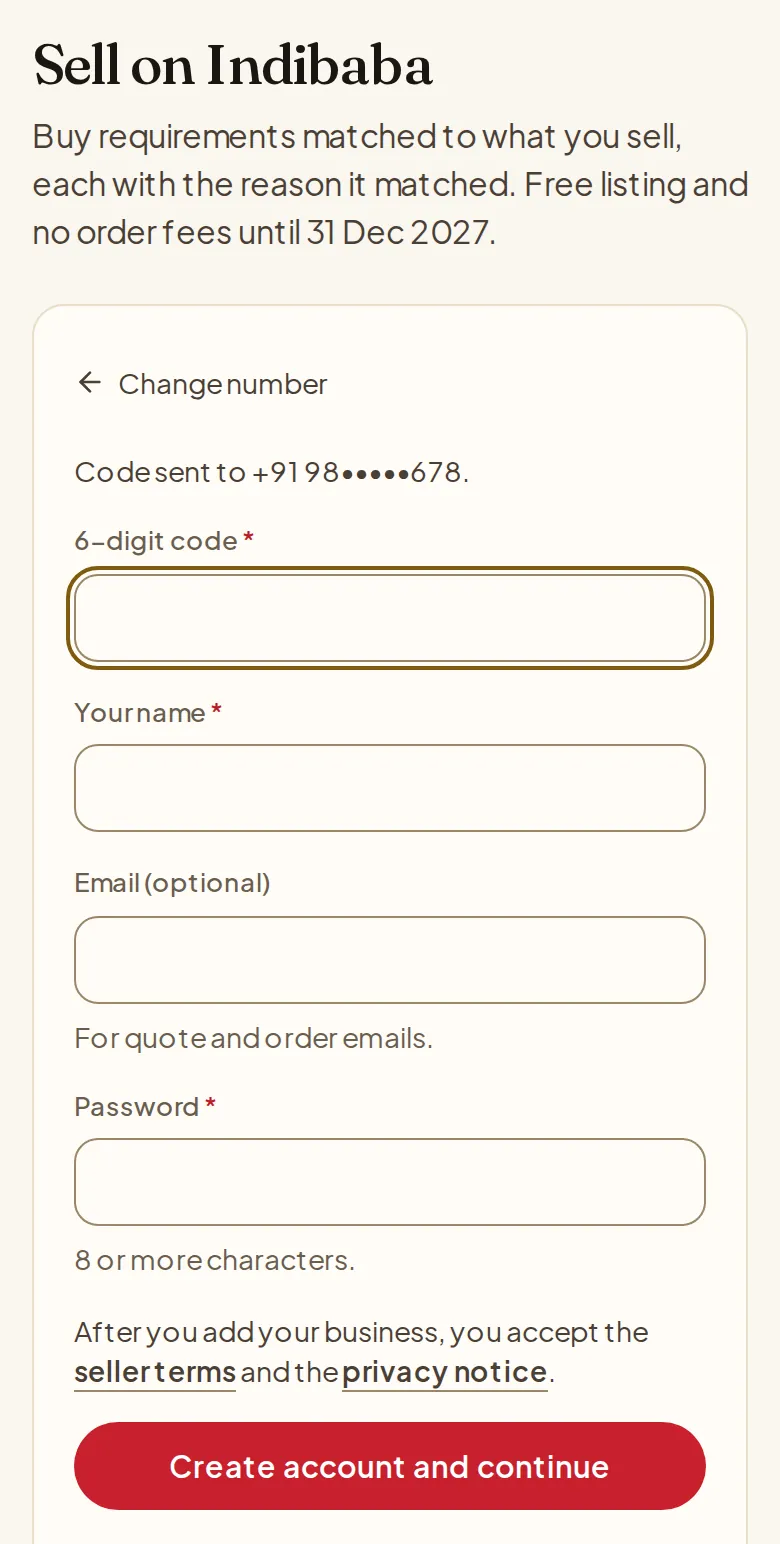
Type the 6-digit code from the SMS, your name and a password of 8 or more characters. Email is optional. Tap Create account and continue.
Indibaba never asks you for a sign-in code or a password. Do not share them with anyone.
Example screen with sample data Step 3 of 5
Add your business
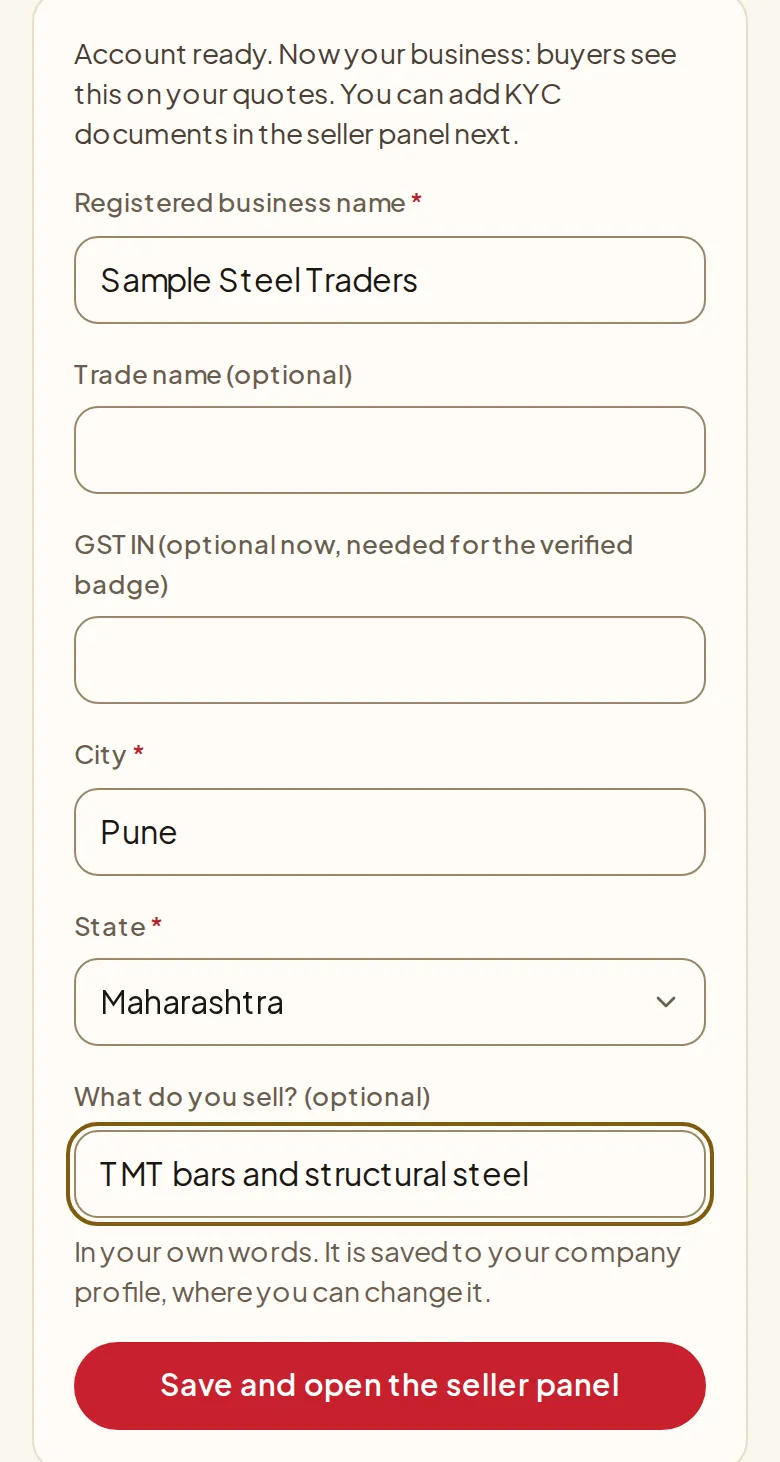
Enter the registered business name, the city and the state. The trade name is optional. The GSTIN is optional now, but the Certified check needs it. What you sell is saved to your company profile, where you can change it later. Tap Save and open the seller panel.
Example screen with sample data Step 4 of 5
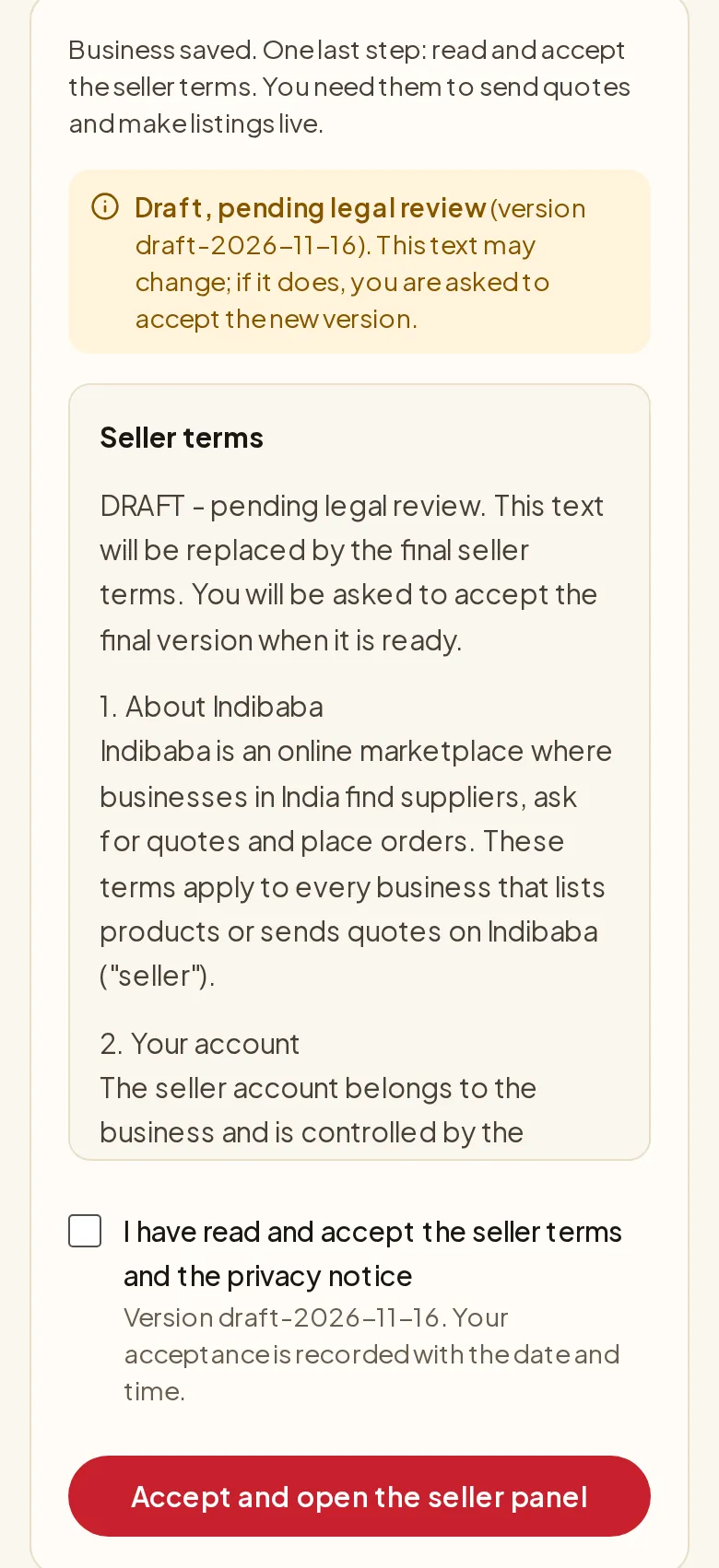
Accept the seller terms
Read the seller terms and the privacy notice, tick the box and tap Accept and open the seller panel. You need to accept them before you can send quotes or make listings live.
The terms shown today are a draft waiting for legal review. When the final version is ready, you are asked to accept it.
Example screen with sample data Step 5 of 5
Follow your first steps
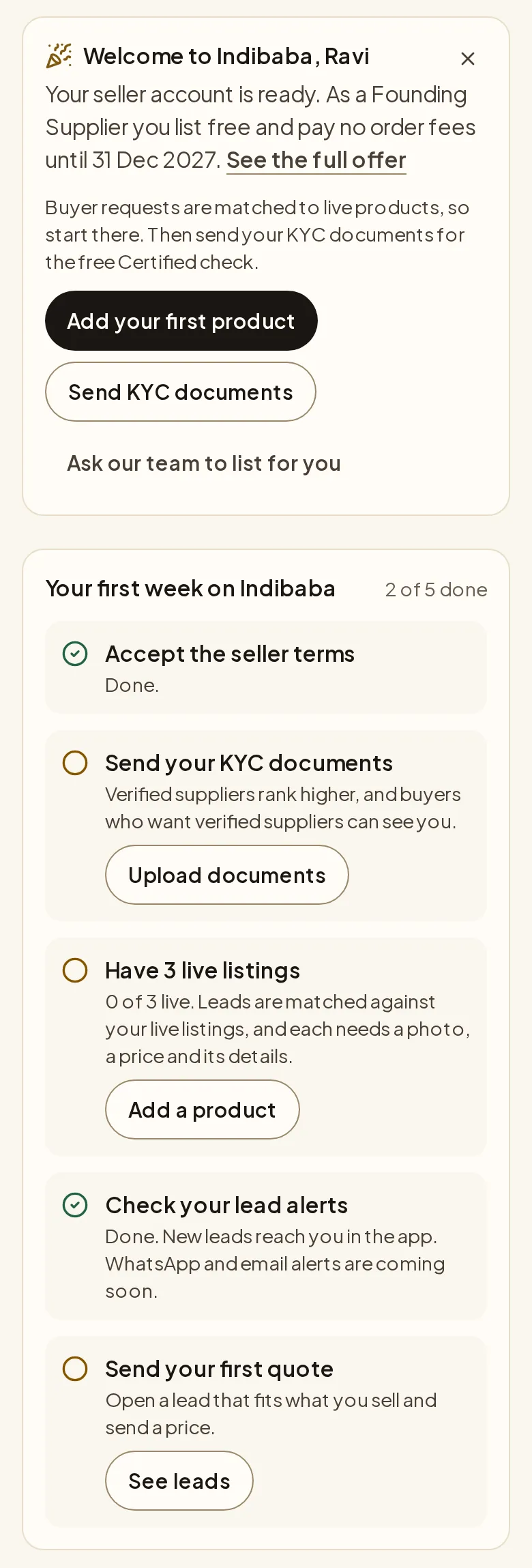
Your home page in the seller panel shows a short checklist:
- Accept the seller terms.
- Send your KYC documents for the free Indibaba Certified check.
- Have 3 live listings.
- Check your lead alerts.
- Send your first quote.
Photo upload is not switched on yet. A listing needs a real photo to go live, so for now you can save products as drafts only. Leads are matched to live listings, so they reach you once photo upload is on and your listings are live.
Example screen with sample data
Related questions
Still have a question?
Send us a message, or email support@indibaba.com.