The Indibaba Certified check
A free check by a person on our team: your GST registration, PAN, bank account name, address and premises. What it covers, what it does not, and how to start.
5 steps · checked against the seller panel on 17 Nov 2026
Not switched on yet
- Uploading documents is not switched on yet, so you cannot send them from the app today. Contact our team to arrange your check: we can look at your original documents on a short video call or a visit, without keeping copies.
The pictures are the real seller screens, filled in with sample data: the business, buyers, prices and messages in them are made up.
Step 1 of 5
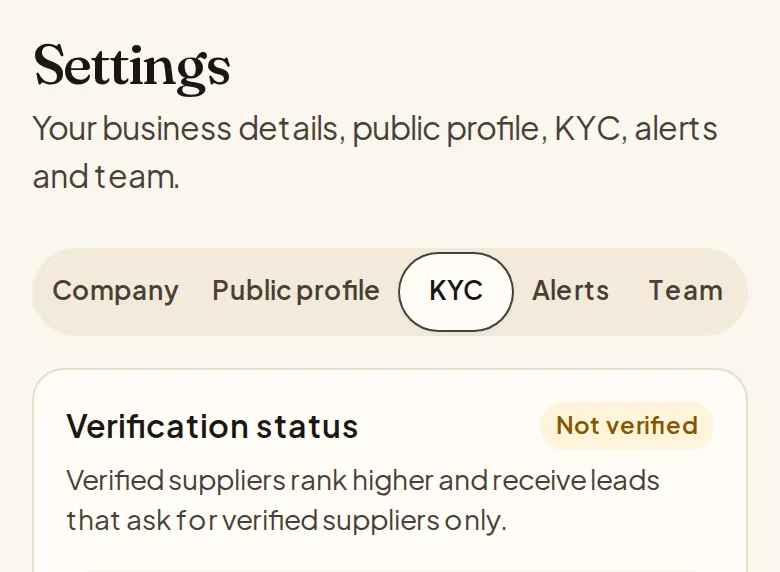
Open Settings, KYC
On a phone, KYC is under Account. Verification status shows whether your business is verified. Suppliers we have not checked show “Not checked yet” to buyers. It is not a mark against you, and buyers can still find you and get your quotes.
Example screen with sample data Step 2 of 5
What the check covers
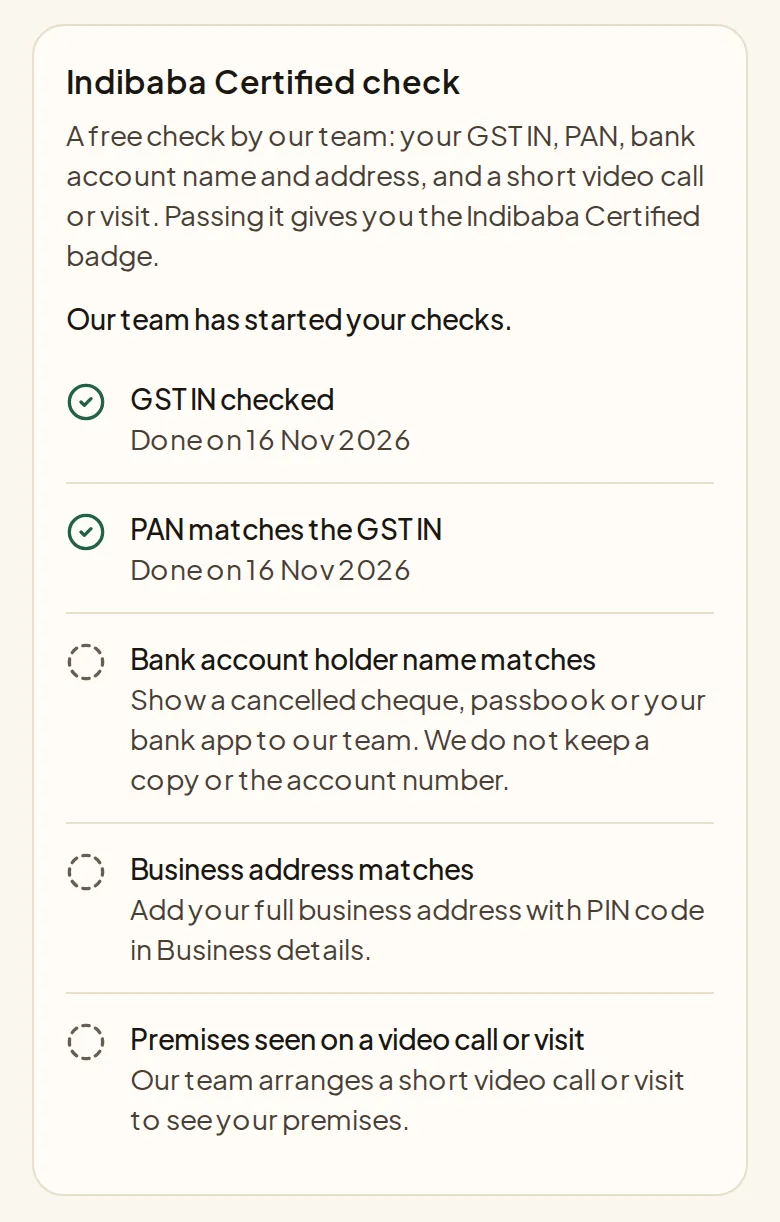
A person on our team checks five things, and the Indibaba Certified check card shows each one as done or still needed:
- Your GSTIN is active, and the legal name and state match what you entered. We look it up on the government GST portal.
- Your PAN matches your GSTIN.
- The name on your bank account matches your business. We look at a cancelled cheque, passbook or bank app screen, keep no copy and write down no account number.
- Your business address matches your GST record and the premises we see.
- Your premises, on a short video call or a visit: the signboard matches your business, and the stock fits the products you list.
Example screen with sample data Step 3 of 5
What the check does not cover
The badge means our team confirmed who you are and where you work. It does not mean:
- that we tested your products or checked their quality,
- that we checked the BIS registrations or ISI licences on your listings: you are responsible for them,
- that any order or delivery is covered,
- anything about payments: online payment through Indibaba is not live yet.
Once you pass, buyers see the checks you passed and the date. They never see your documents, account numbers or our notes. Founding Supplier is an offer, not a badge.
Step 4 of 5
Send your documents
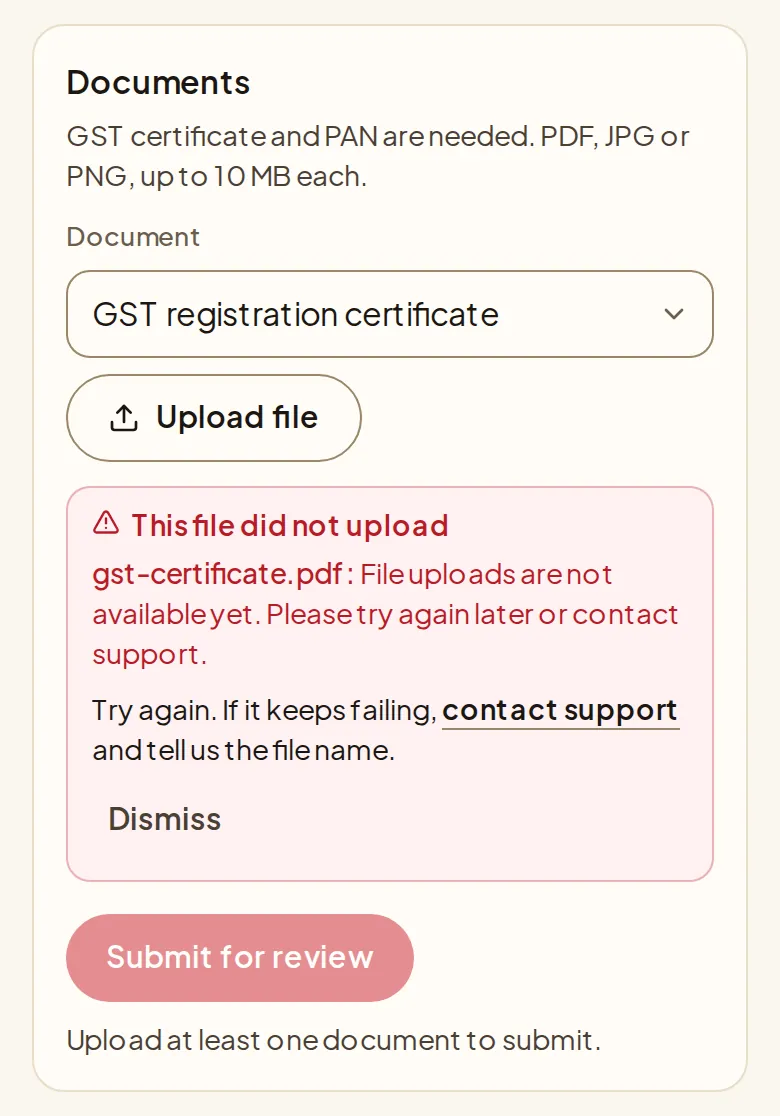
Under Documents, add your GST certificate and PAN card. Files can be PDF, JPG or PNG, up to 10 MB each. Then tap Submit for review.
We do not promise a fixed time. Every check is done the same way, and you cannot pay to be checked faster. We tell you in the app when it is decided, or if we need something more.
Uploading documents is not switched on yet, so you cannot send them from the app today. Contact our team to arrange your check: we can look at your original documents on a short video call or a visit, without keeping copies.
Example screen with sample data Step 5 of 5
After you pass
Buyers see the Indibaba Certified badge on your profile and quotes, and you get requests from buyers who asked for verified suppliers only. It also makes you a better fit for matching requests.
We plan to check again 12 months after you pass. If you change your legal details, the badge turns off until we check them again.
Related questions
Sources
For the legal points in this guide. General information, not legal advice.
- Search Taxpayer: look up a GSTINGST portal
Still have a question?
Send us a message, or email support@indibaba.com.