Your supplier website and share kit
Your own page on Indibaba, and a share kit: a ready WhatsApp message, your link and a QR poster for your shop counter.
5 steps · checked against the seller panel on 17 Nov 2026
Not switched on yet
- Photo upload is not switched on yet, so you cannot add photos to your page today. Everything else can be saved now.
The pictures are the real seller screens, filled in with sample data: the business, buyers, prices and messages in them are made up.
Step 1 of 5
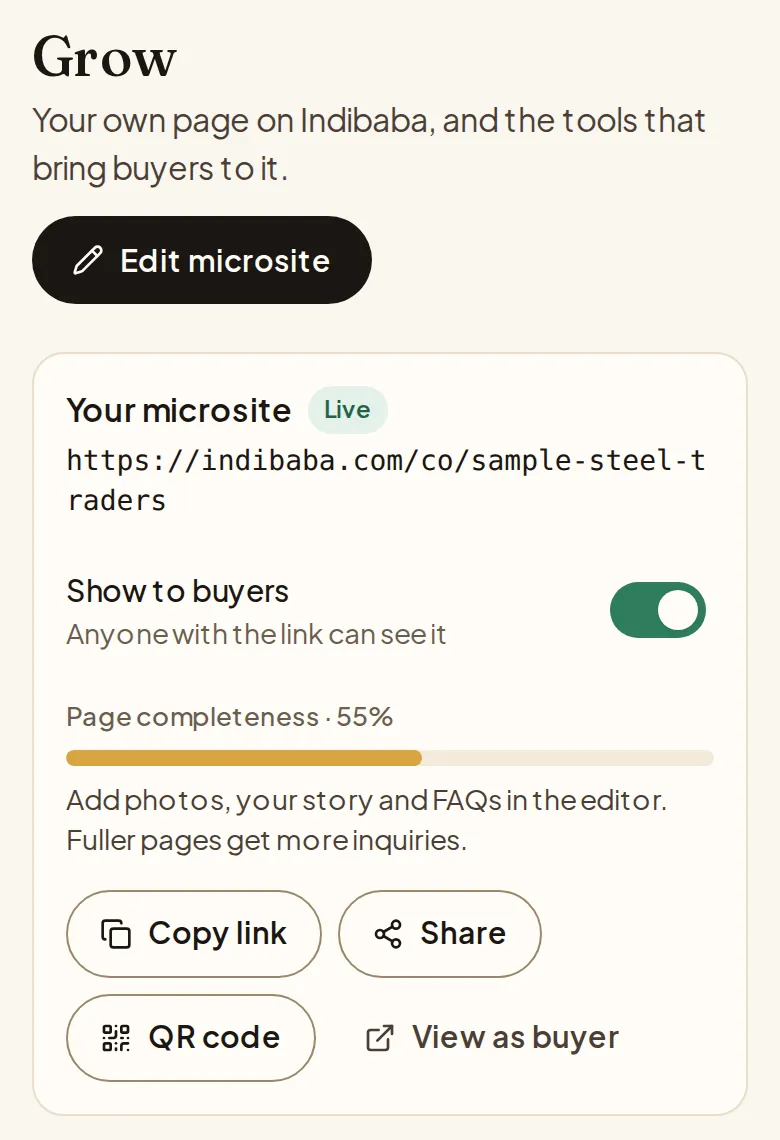
Open Grow
Open Grow. On a phone, it is under Account. Your microsite shows whether it is live or hidden, its address and how complete it is. Turn on Show to buyers to publish it. Then use Copy link, Share or QR code.
Example screen with sample data Step 2 of 5
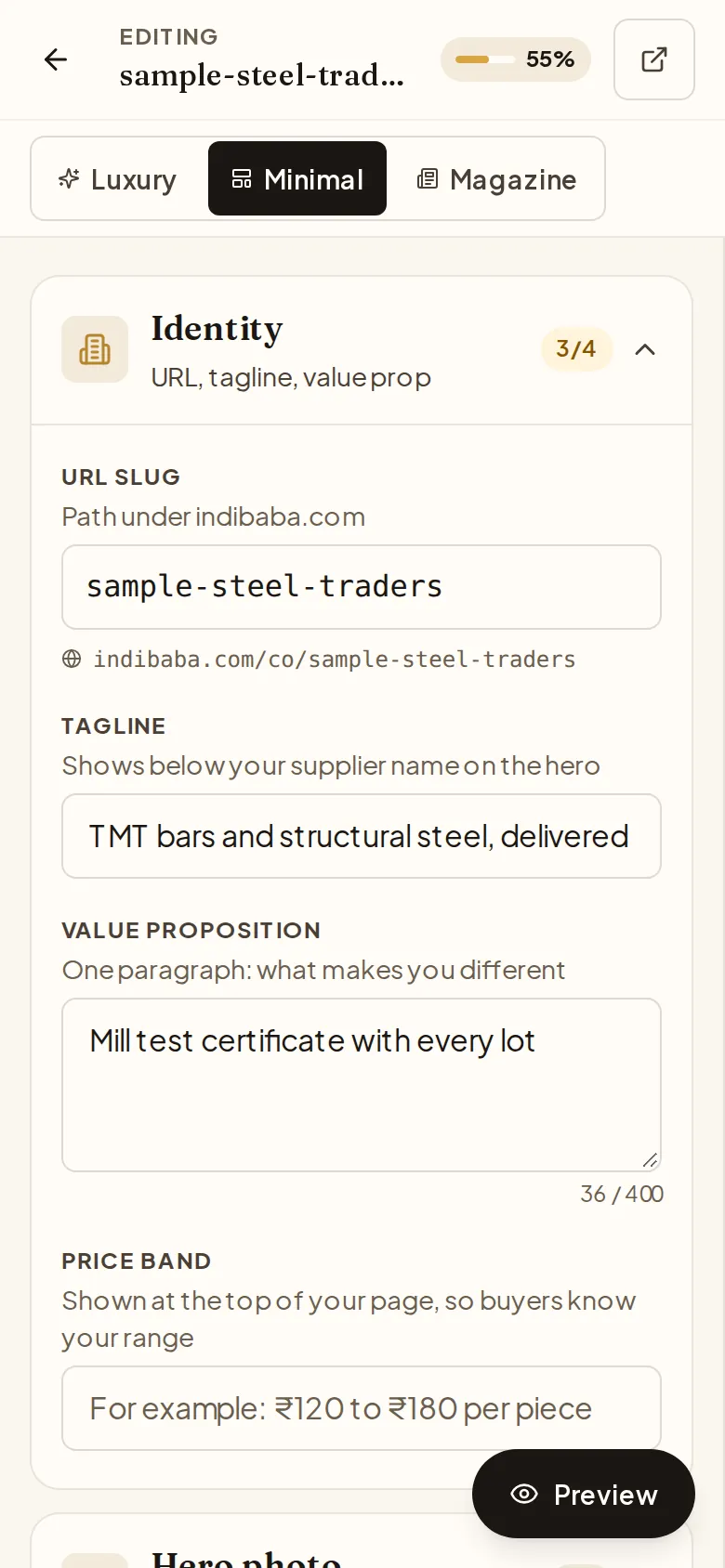
Fill in your page
Tap Edit microsite. Work through the sections: identity and tagline, hero photo, about you, capabilities, gallery, why buyers choose you, questions and answers, and contact details. Your products come from your live listings.
If you add a public phone or WhatsApp number in Contact, buyers can see it on your page. The mobile number you sign in with is never shown.
Example screen with sample data Step 3 of 5
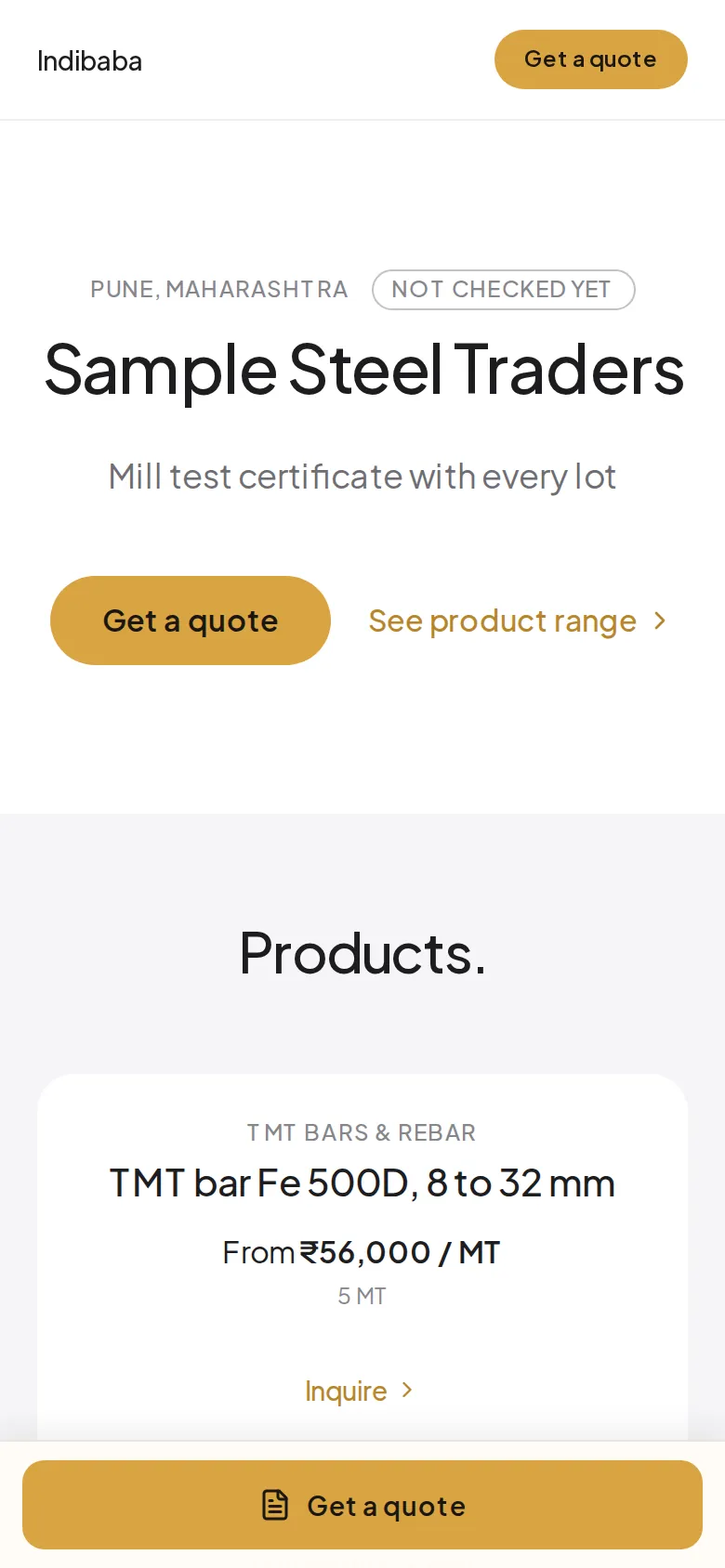
See what buyers see
Tap View as buyer to open your page the way buyers see it: your name and city, your check status, your tagline, your products and a Get a quote button.
Example screen with sample data Step 4 of 5
Share your page on WhatsApp
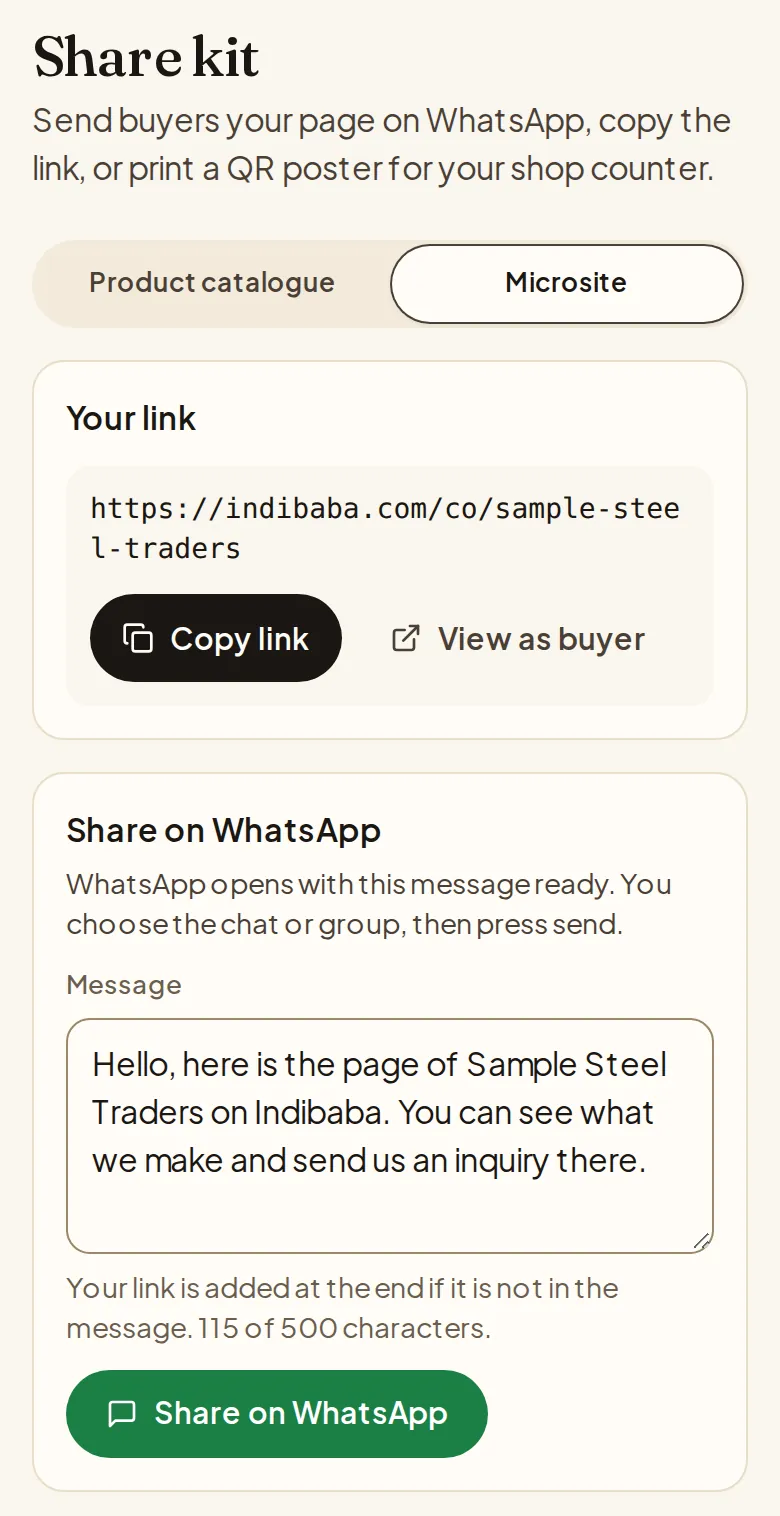
Open Share kit from Grow. Choose what to share: your product catalogue or your microsite. Copy the link, or tap Share on WhatsApp: WhatsApp opens with the message ready, and you choose the chat or group and press send.
Example screen with sample data Step 5 of 5
Print a QR poster
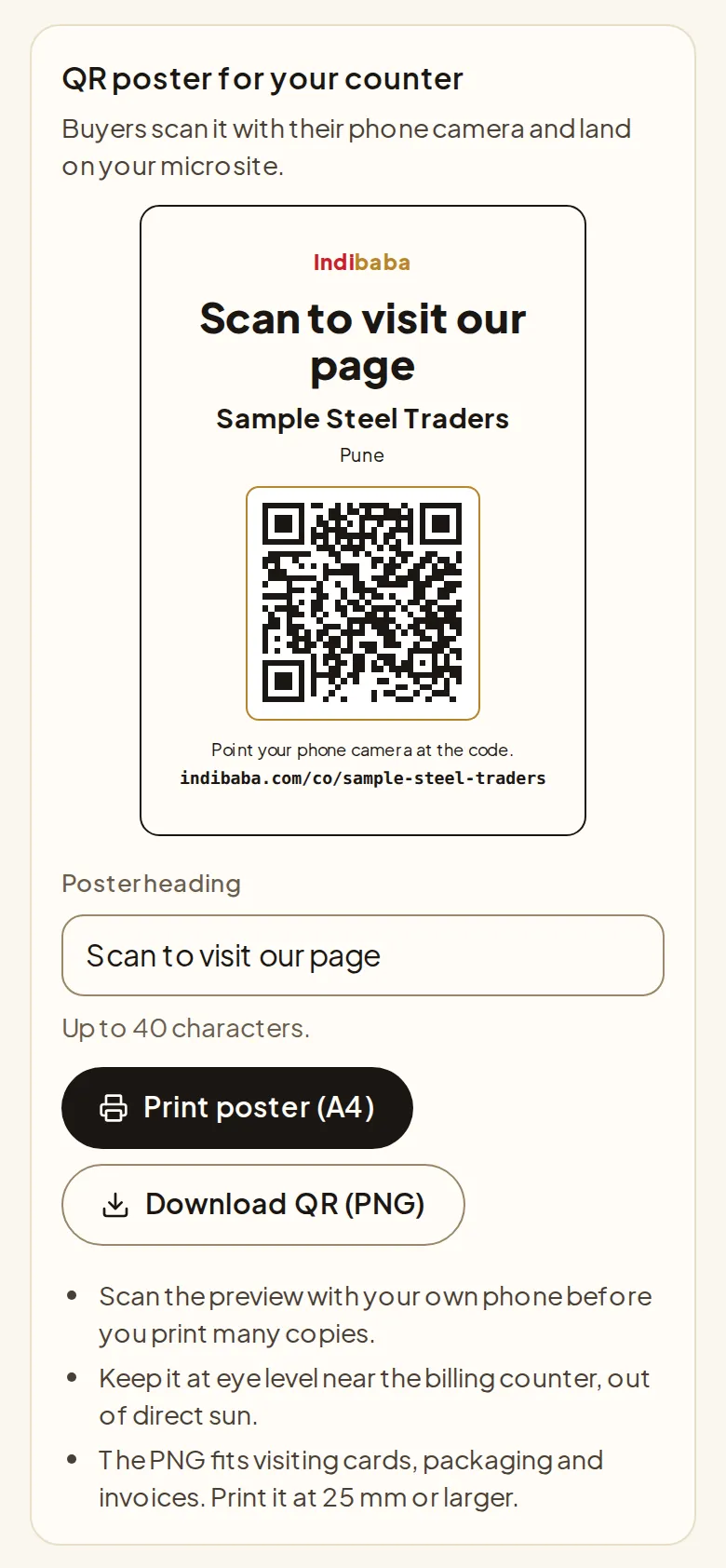
Change the poster heading if you like, then tap Print poster (A4) or Download QR (PNG). Buyers scan it with their phone camera and land on your page.
Example screen with sample data
Related questions
Still have a question?
Send us a message, or email support@indibaba.com.