
Messages with buyers
Buyers’ messages about your products, leads, quotes and orders arrive under Inquiries. Reply there; the buyer gets your reply in the app.
3 steps · checked against the seller panel on 17 Nov 2026
Not switched on yet
- WhatsApp, email and SMS alerts are not live yet. Everything shows in the app under Notifications, so open the app once a day.
The pictures are the real seller screens, filled in with sample data: the business, buyers, prices and messages in them are made up.
Step 1 of 3
Open Inquiries
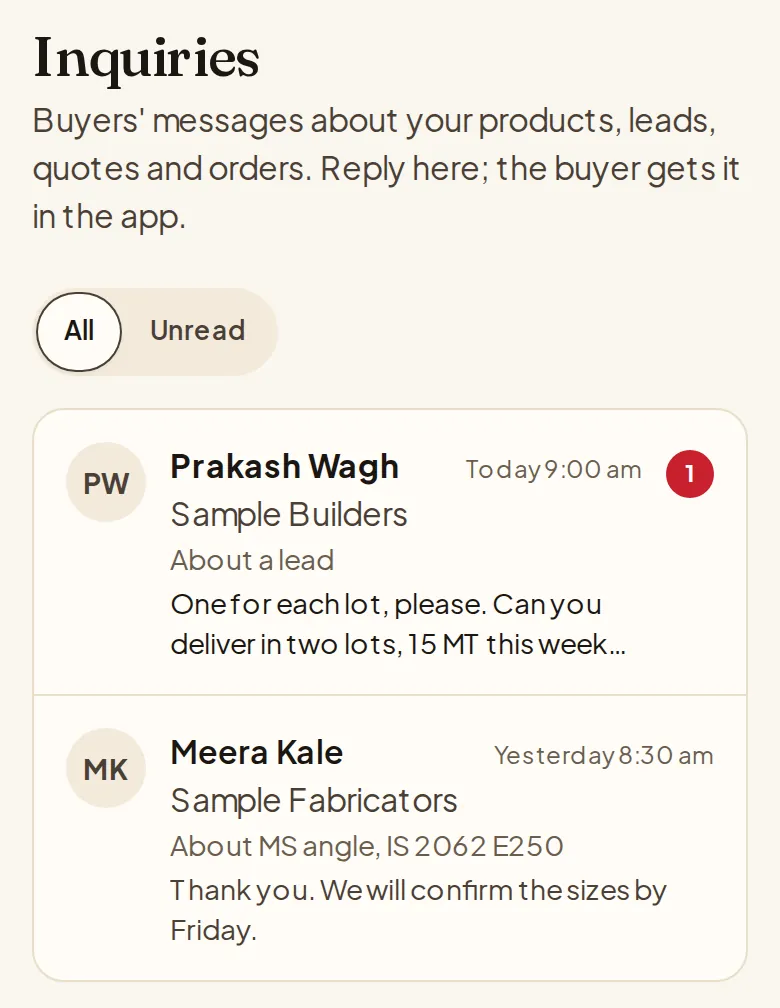
Open Inquiries. On a phone, it is under Account. Each conversation says what it is about: a lead, a product or an order. Unread ones are in bold, and the Unread tab shows only those.
Example screen with sample data Step 2 of 3
Ask a buyer about their request
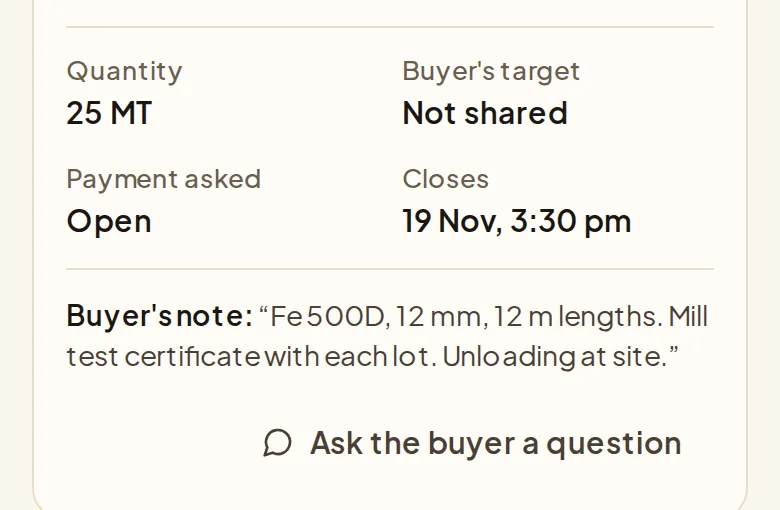
To ask about a lead before you quote, open the lead and tap Ask the buyer a question. Only that buyer sees it, so keep prices for your quote. The conversation then continues under Inquiries.
Example screen with sample data Step 3 of 3
Reply
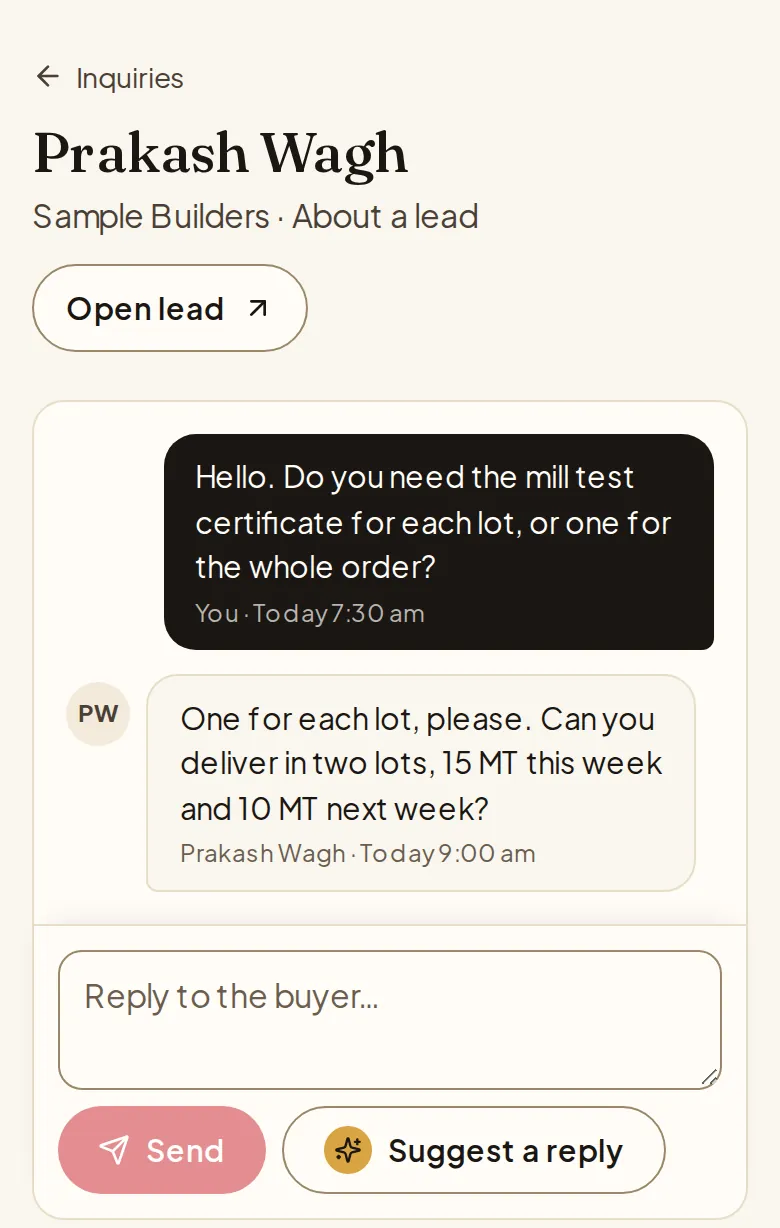
In a conversation about a lead, you see a neutral name such as “Buyer in Nashik, Maharashtra” until the buyer replies to you, shortlists you or accepts your quote. After that you see their name. Write your reply and tap Send.
Suggest a reply drafts one with Indibaba AI. When Indibaba AI is not available, you get a plain starter reply instead. Read and edit it: nothing is sent until you tap Send.
Online payment through Indibaba is not live yet. For now the buyer pays you directly, so agree the payment terms with the buyer in writing before you dispatch. Indibaba never asks you or the buyer to pay into a personal account.
Example screen with sample data
Related questions
Still have a question?
Send us a message, or email support@indibaba.com.