
Your lead inbox and filters
Leads are buyer requests matched to your live listings, best fit first. Search and filter them, and hide the ones you cannot supply.
4 steps · checked against the seller panel on 17 Nov 2026
Not switched on yet
- Leads are matched to live listings only, and a listing needs a photo to go live. Photo upload is not switched on yet, so if you have no live listings, your lead inbox stays empty until it is.
The pictures are the real seller screens, filled in with sample data: the business, buyers, prices and messages in them are made up.
Step 1 of 4
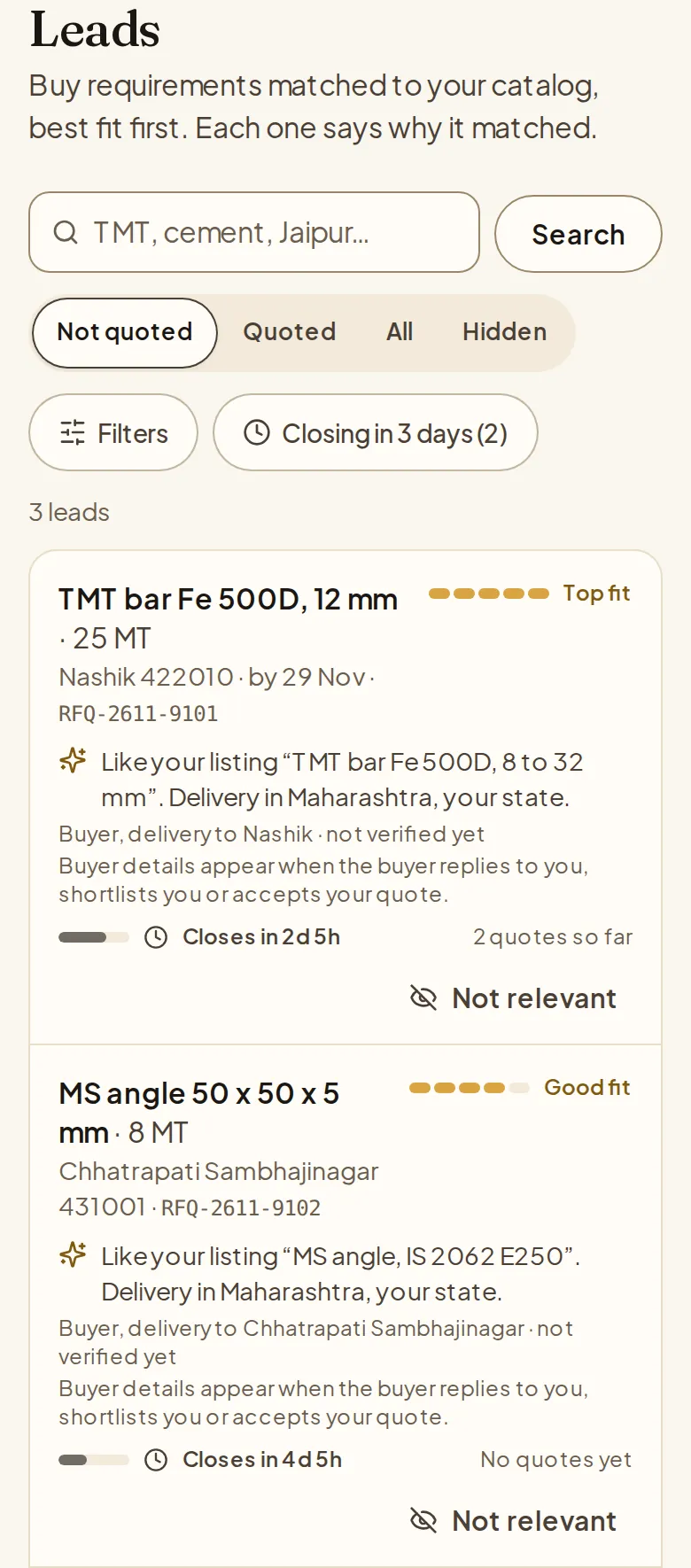
Open Leads
Each lead shows the product, the quantity, the delivery place, how well it fits your listings (Top, Good or Partial fit), why it matched, and the time left to quote.
Buyer details appear when the buyer replies to you, shortlists you or accepts your quote. Leads cost nothing, and Indibaba is new, so we cannot promise a number of leads.
Example screen with sample data Step 2 of 4
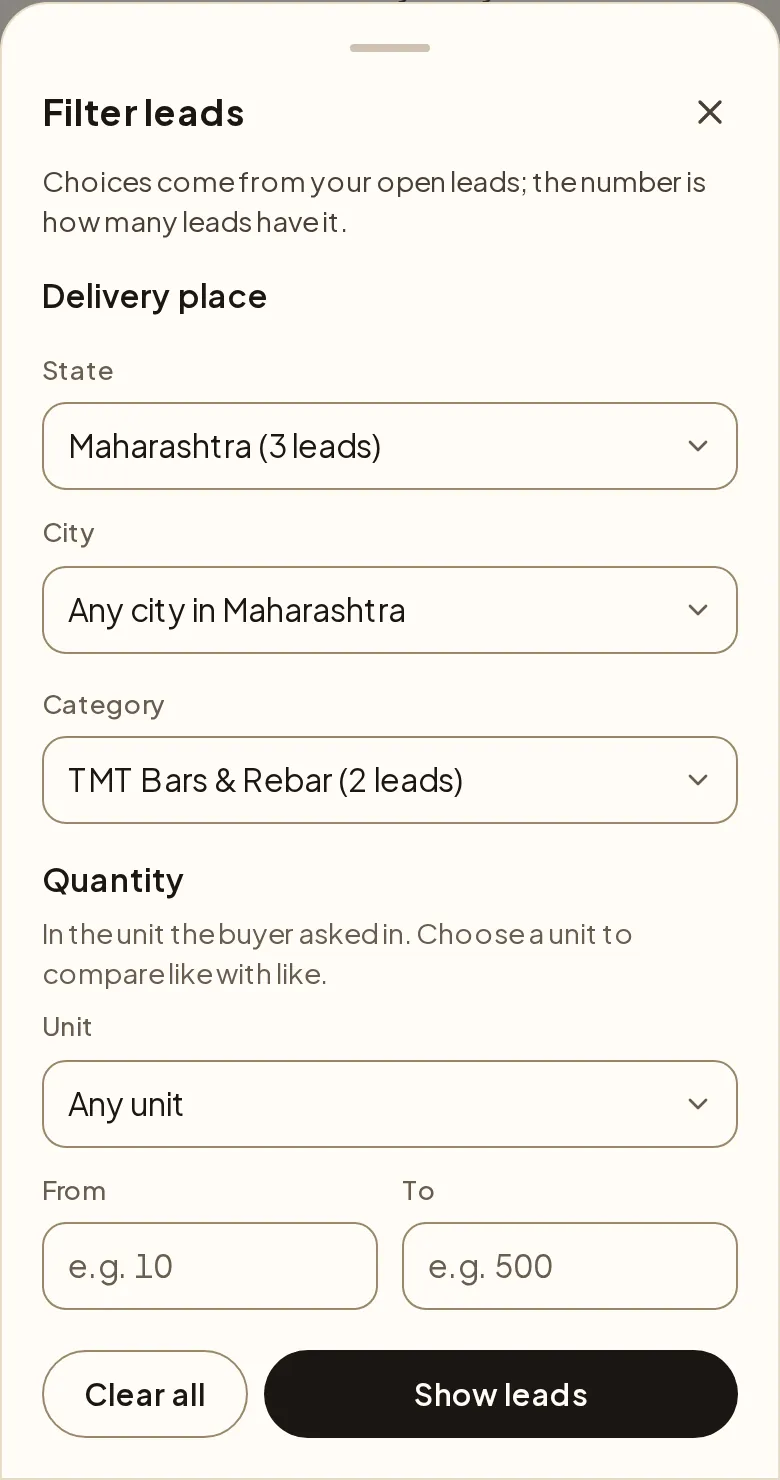
Search and filter
Search by product or place. Use the tabs for leads you have not quoted, have quoted, all leads, or hidden ones. Tap Filters to narrow by delivery state and city, product type, unit and quantity, then tap Show leads. Closing in 3 days shows the leads that close soon.
Example screen with sample data Step 3 of 4
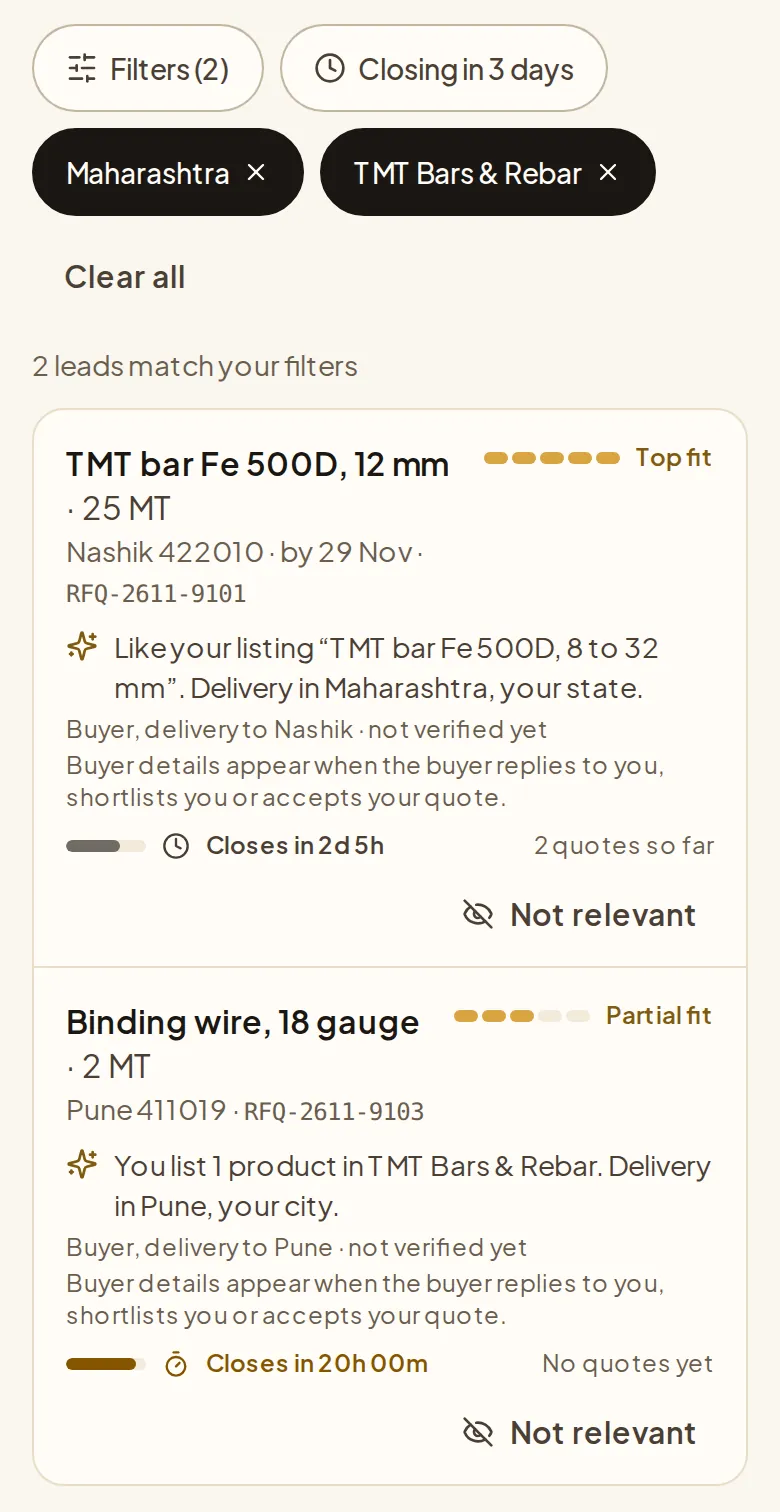
Remove a filter
Each filter you use shows as a chip above the list. Tap a chip to remove it, or Clear all.
Example screen with sample data Step 4 of 4
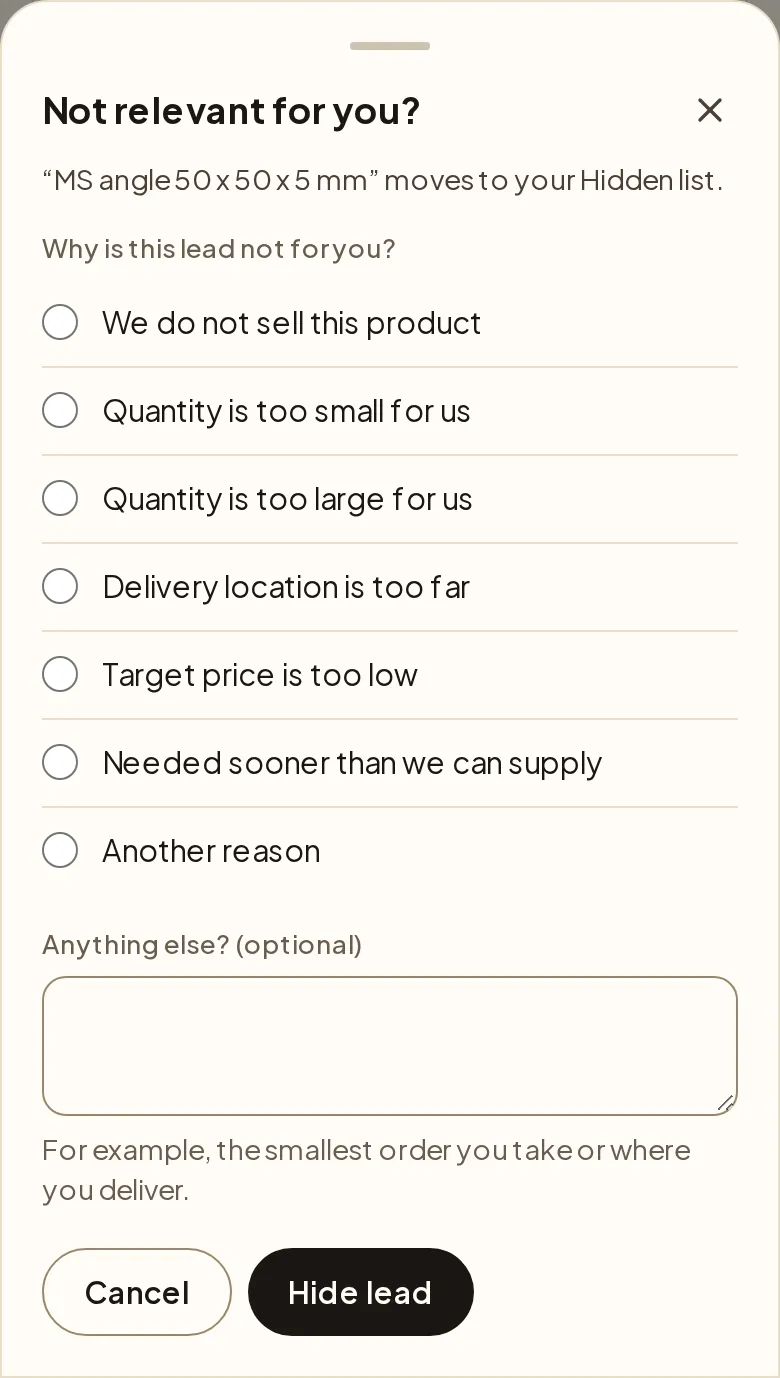
Hide leads you cannot supply
Tap Not relevant and choose why, for example the quantity is too small or the delivery place is too far. The lead moves to Hidden. You can show it again at any time.
Example screen with sample data
Related questions
Still have a question?
Send us a message, or email support@indibaba.com.